These are research prototypes. They were built in July and August 2026 to test the blueprint, not to run in production. They use synthetic or illustrative cases, every output is a draft for human review, and interfaces change from version to version. Click any screenshot to enlarge it.
Versions 1–5: the interface and the workspace
The early versions established the conversational interface and the working screen that later versions keep. Versions 1–4 simulate their outputs; from version 5, the agents reason live through the Anthropic API. The case shown is an illustrative riparian ecology dataset.
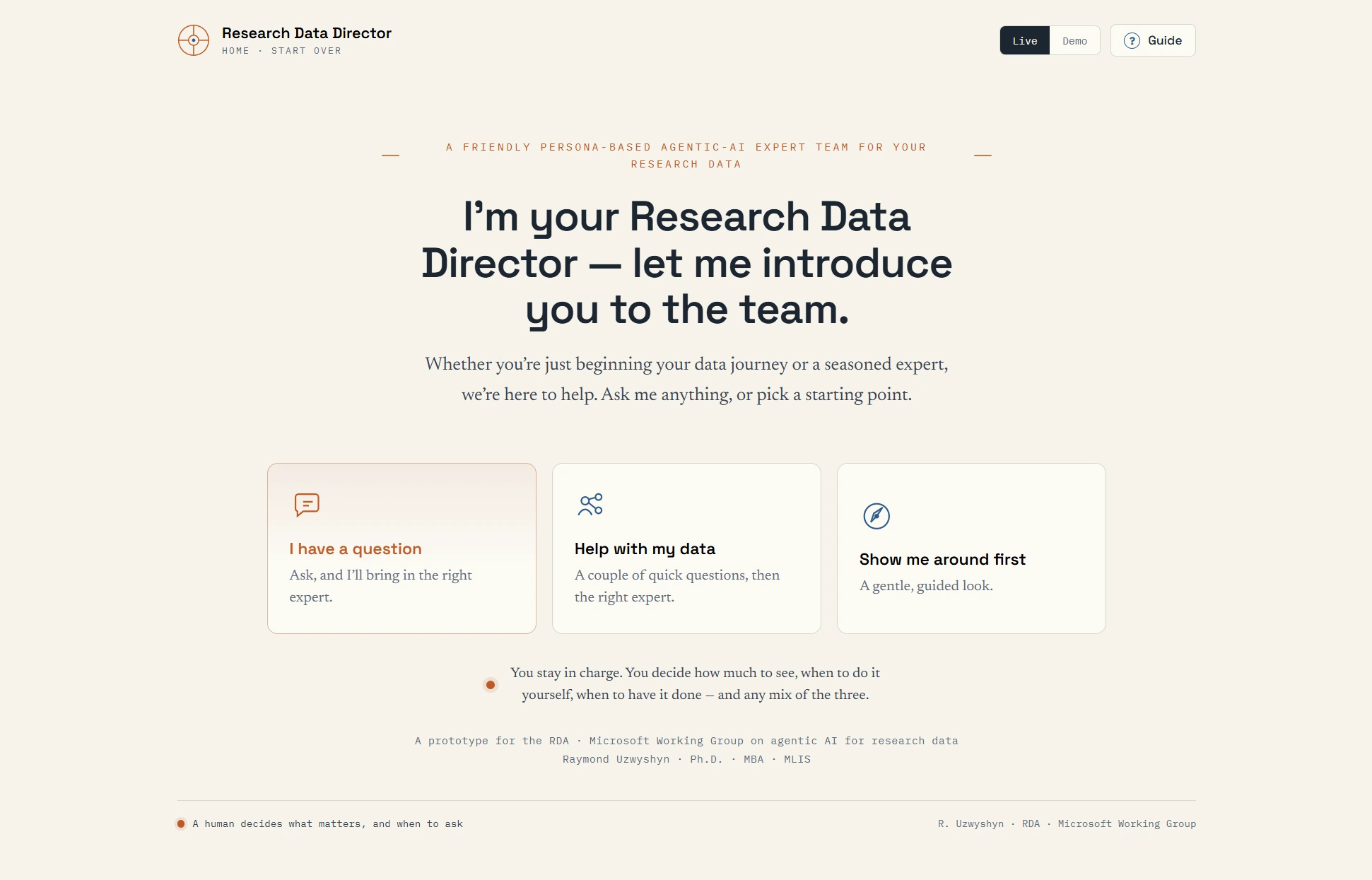
Entry
The welcome screen
- The Director speaks first, in the first person, and introduces the team rather than a form.
- Three ways in: ask a question, get help with a dataset, or take a guided look around.
- A standing promise: the researcher decides how much to see, when to act, and when to hand work over.
- Live and Demo modes and a Guide sit at top right; the footer repeats the principle that a human decides what matters.
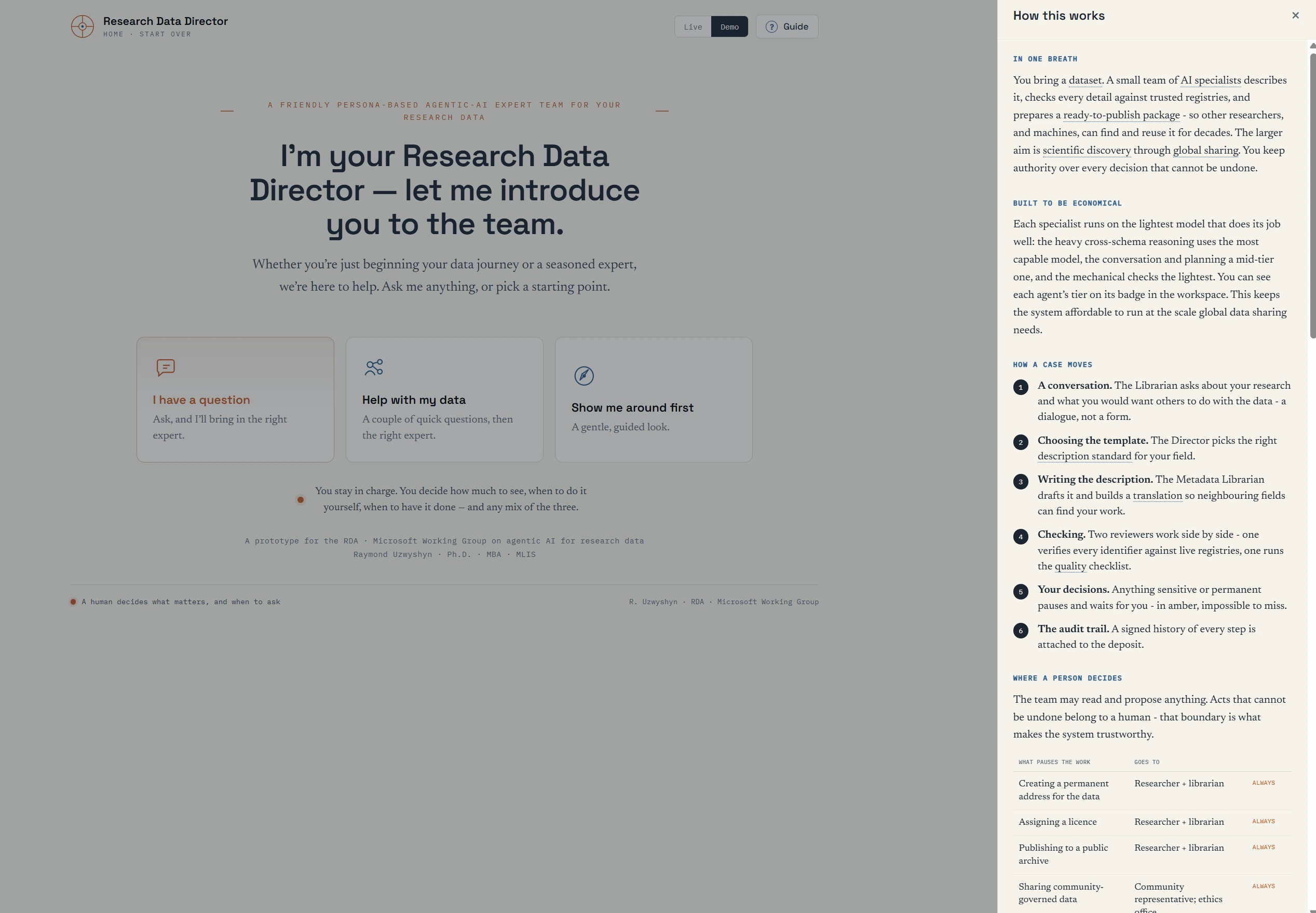
Orientation
The guide: how this works
- “In one breath”: a plain-language summary of what the team does and why.
- “Built to be economical”: each specialist runs on the lightest model that does its job well.
- How a case moves, in six steps, from conversation to a signed audit trail.
- Where a person decides: a table of acts that always pause for a human, such as creating a permanent address or assigning a licence.
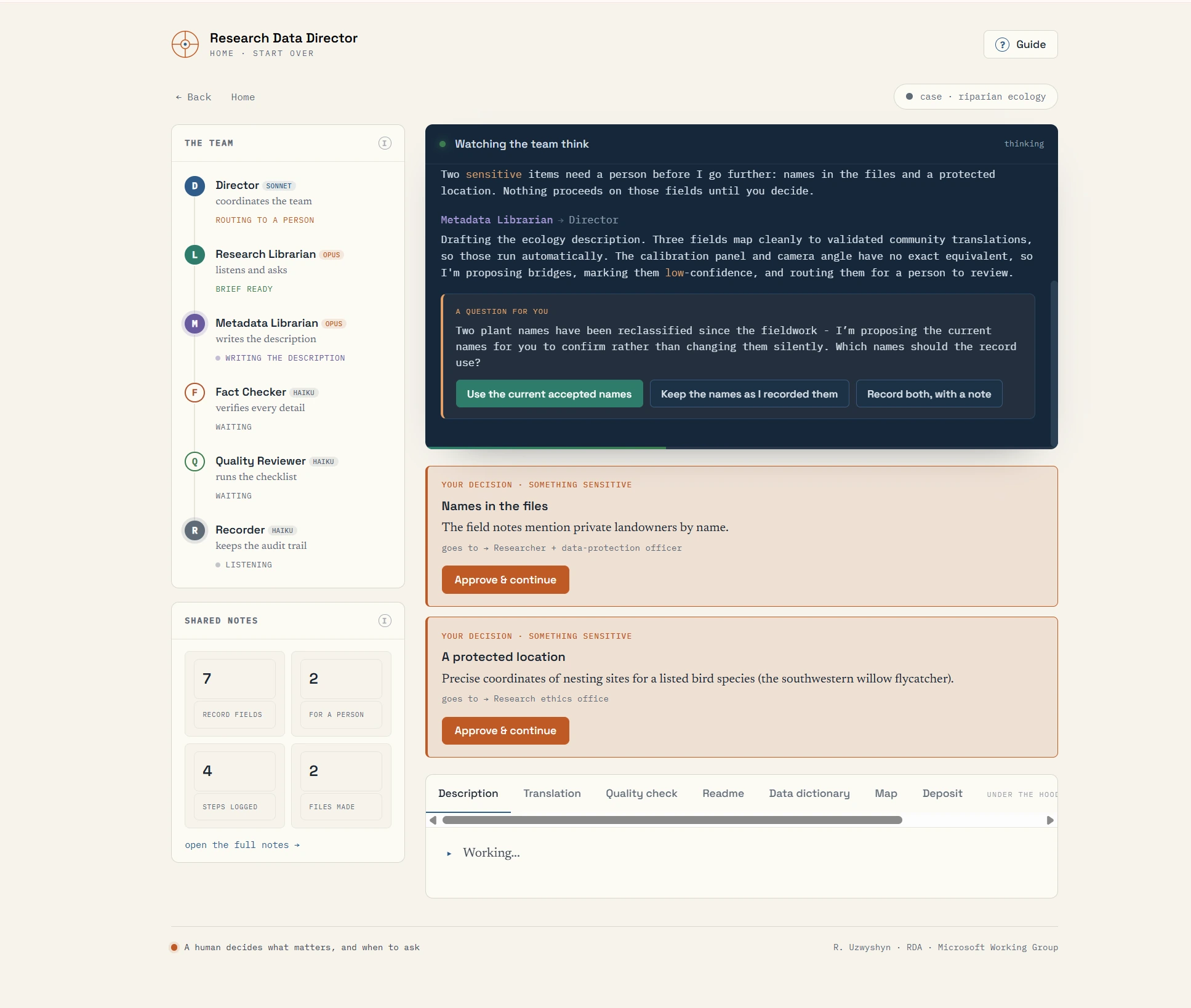
Working screen
The workspace and the Thinking Window
- The team panel lists each specialist and what it is doing now.
- “Watching the team think”: the Thinking Window narrates each step in plain language as it happens.
- A question for the researcher, with three explicit choices: here, two plant names reclassified since fieldwork.
- Amber decision cards stop the work on sensitive items (landowner names in field notes; nesting sites of a listed bird species) and name the office each goes to.
- Shared notes count missing fields, items waiting for a person, and files read; output tabs run along the bottom.
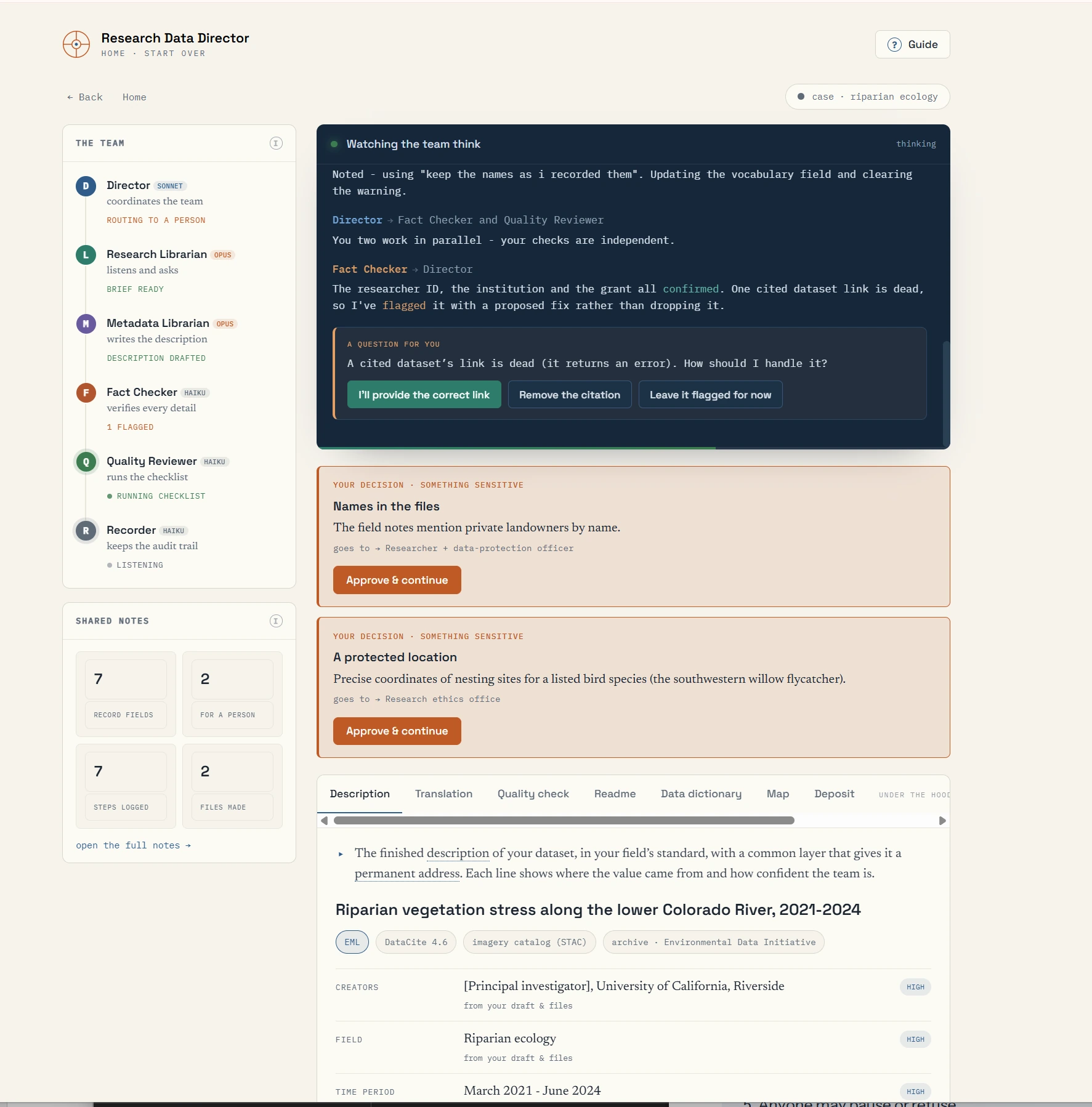
Fact Checker
Verification in parallel
- The Fact Checker and the quality reviewer work in parallel, independently.
- Identifiers are confirmed against registries: the researcher, the institution, and the grant.
- A dead dataset link is flagged with a proposed fix rather than silently dropped.
- The researcher chooses what happens next: supply the link, remove the citation, or leave it flagged.
Output: metadata record
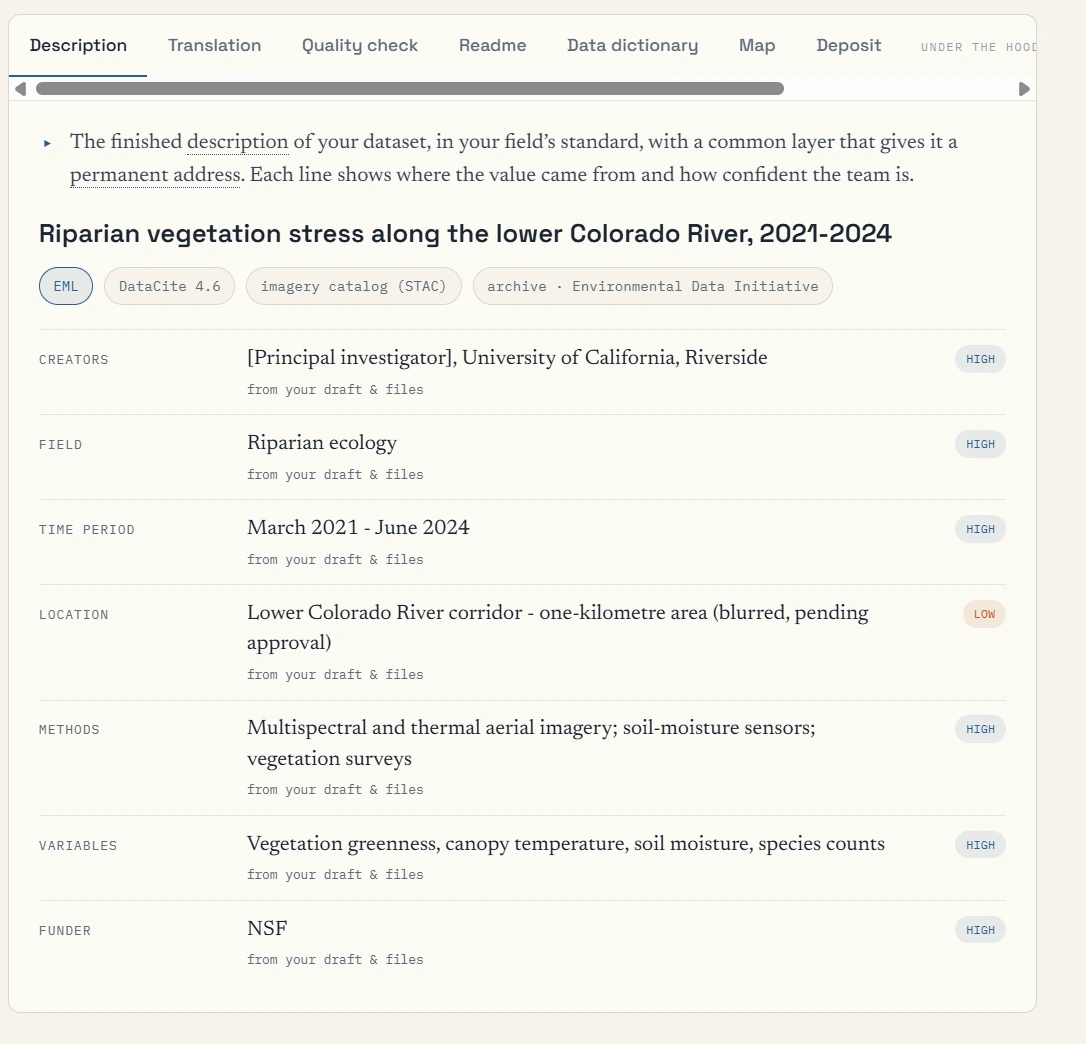
The description, with sources and confidence
- The record is written in the field’s own standard, with a common discovery layer for a permanent address.
- Badges show the target schema, the discovery layer, an imagery catalog, and the intended archive.
- Every field shows where its value came from and how confident the team is.
- The location is marked low confidence: blurred to about a kilometre, pending approval.
Output: data dictionary
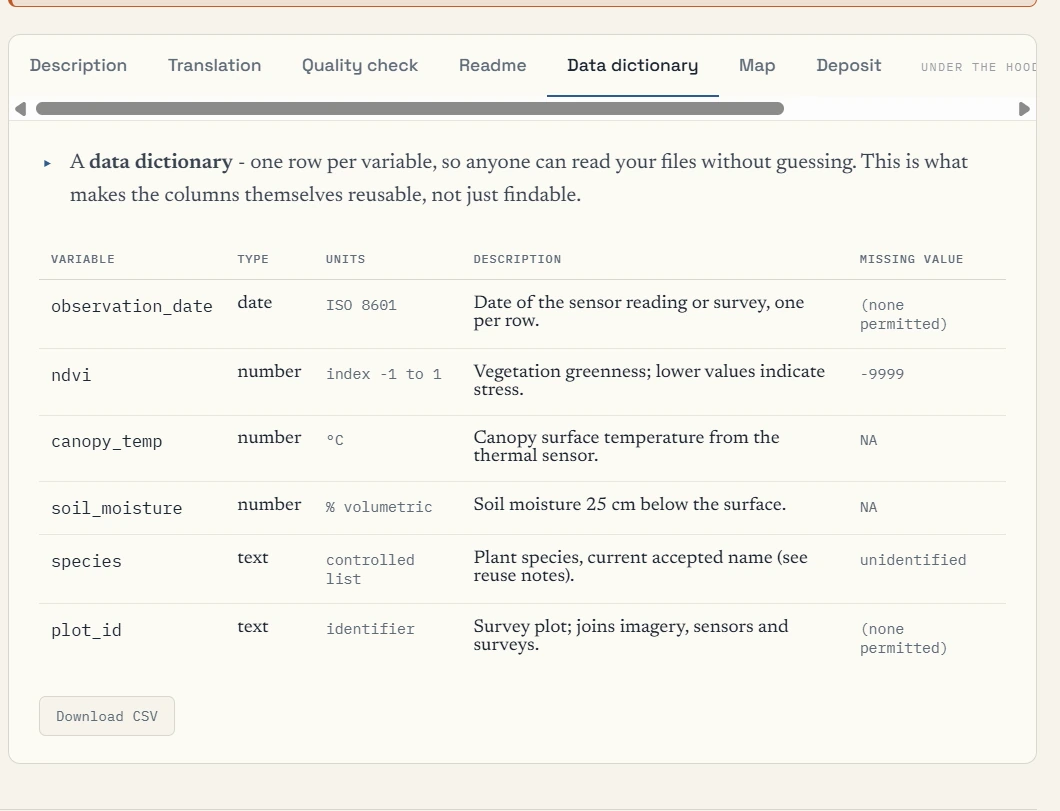
The data dictionary
- One row per variable: name, type, units, description, and missing-value code.
- It makes the columns themselves reusable, not just the dataset findable.
- Available to download as CSV.
Team status
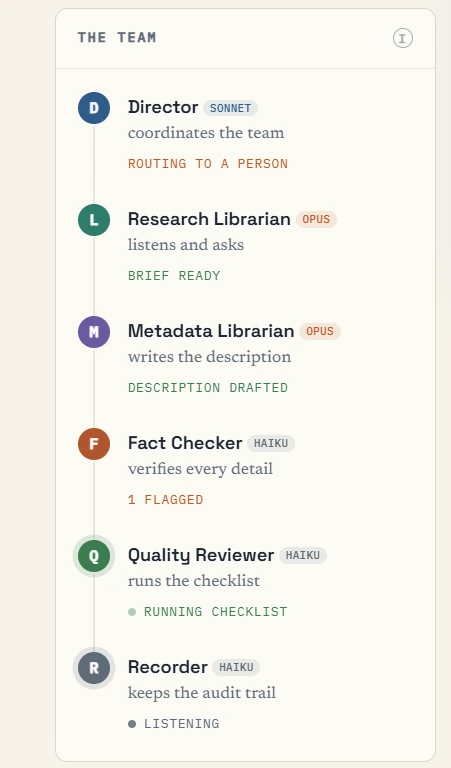
The team panel
- Each agent carries a badge showing its model tier, so the cost of the work is visible.
- Live status for each role: routing to a person, brief ready, description drafted, one item flagged, checklist running, listening.
- The Recorder is always listening; it is never dispatched.
Version 11: the named persona team
Version 11 introduces the named personas specified in the Persona Appendix, a demo mode that runs without input, and a case file of formal reports.
Entry
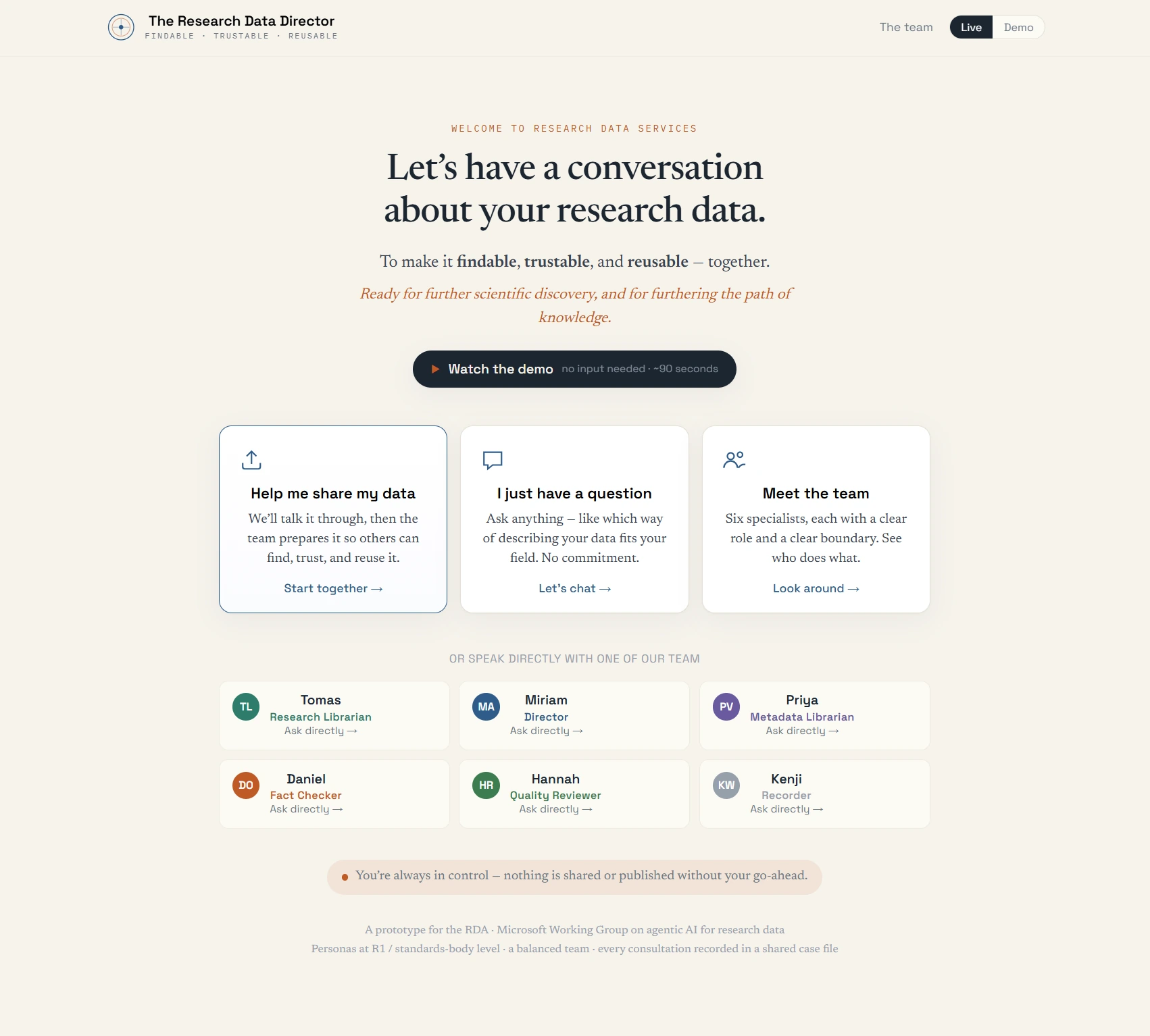
The front door
- “Watch the demo”: the full workflow runs in about 90 seconds with no input needed.
- Three entry points: share data, ask a question, or meet the team.
- Each specialist can be addressed directly by name: Tomas, Miriam, Priya, Daniel, Hannah, and Kenji.
- A standing assurance: nothing is shared or published without the researcher’s go-ahead.
Thinking Window (opt-in)
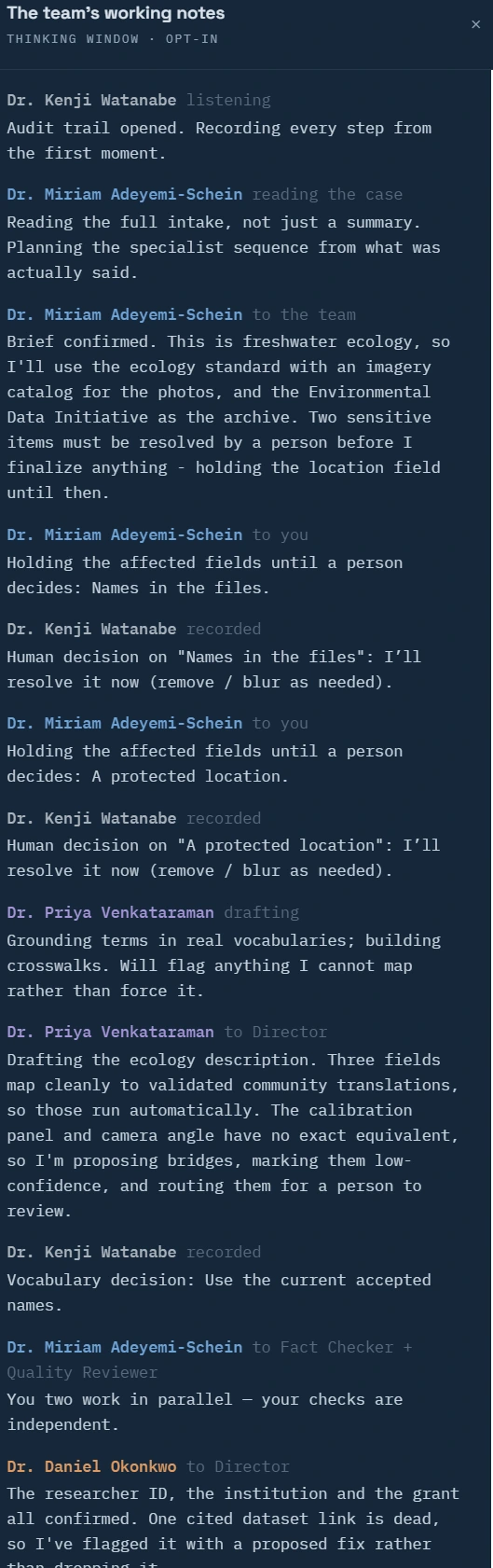
The team’s working notes
- The opt-in Thinking Window, now attributed to named personas.
- The Director reads the full intake and plans the sequence; sensitive fields are held until a person decides.
- The Recorder notes each human decision as it is made.
- The Metadata Librarian grounds terms in real vocabularies and flags what it cannot map rather than forcing it.
Deliverables
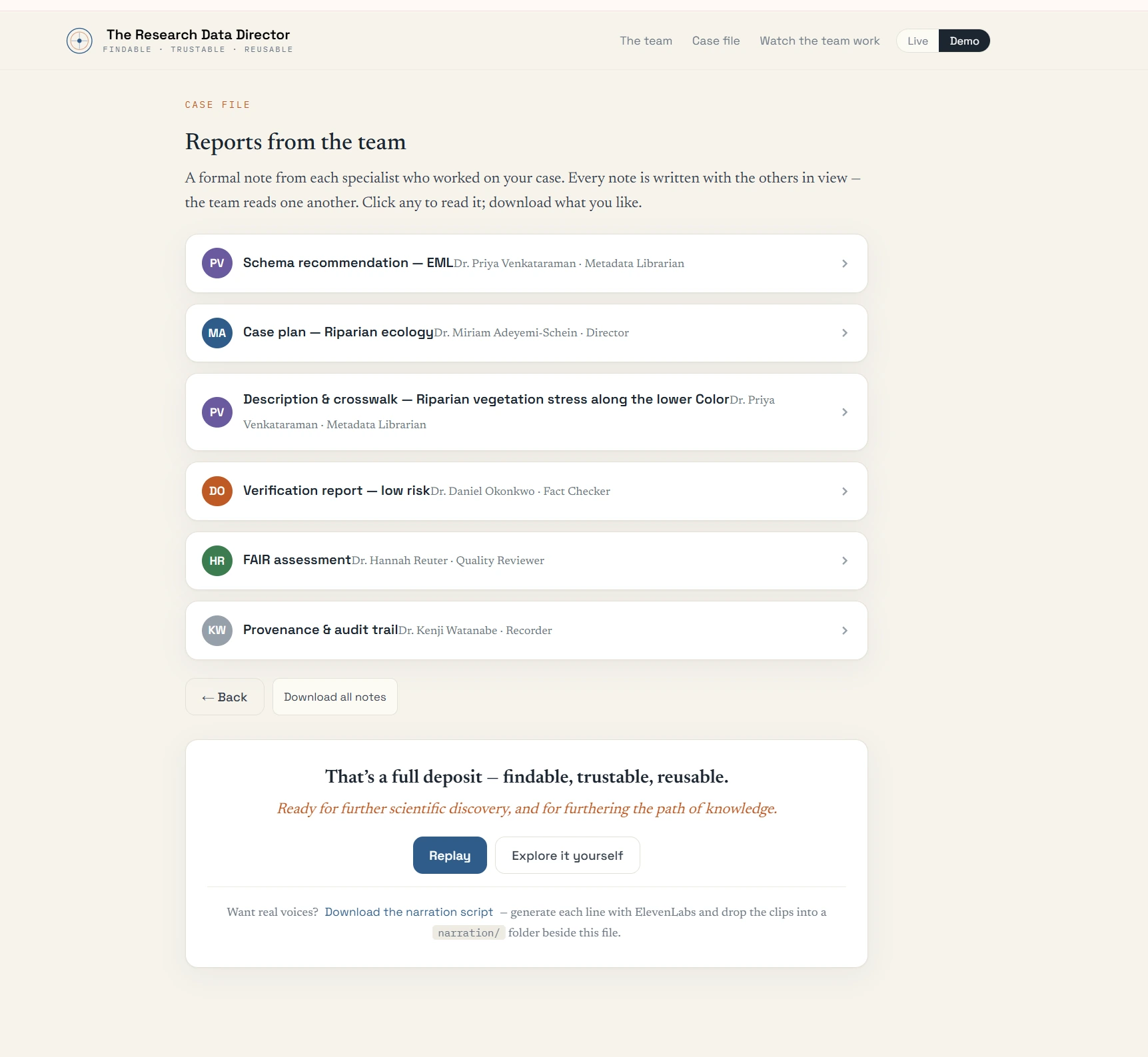
The case file: reports from the team
- A formal note from each specialist, each written with the others in view: schema recommendation, case plan, description and crosswalk, verification report, FAIR assessment, provenance and audit trail.
- Every note can be read or downloaded; the whole set downloads at once.
- The case closes as a full deposit: findable, trustable, reusable.
- An optional narration script supports the voice experiments of version 12.
A variant application: the Medical Research Data Director (August 2026)
A very early prototype. The biomedical studio is a demonstration of metadata and crosswalk governance for research. It uses synthetic or de-identified data only, it is not for clinical diagnosis or treatment, and every AI suggestion requires human review. Figures shown in it are illustrative.
Studio overview
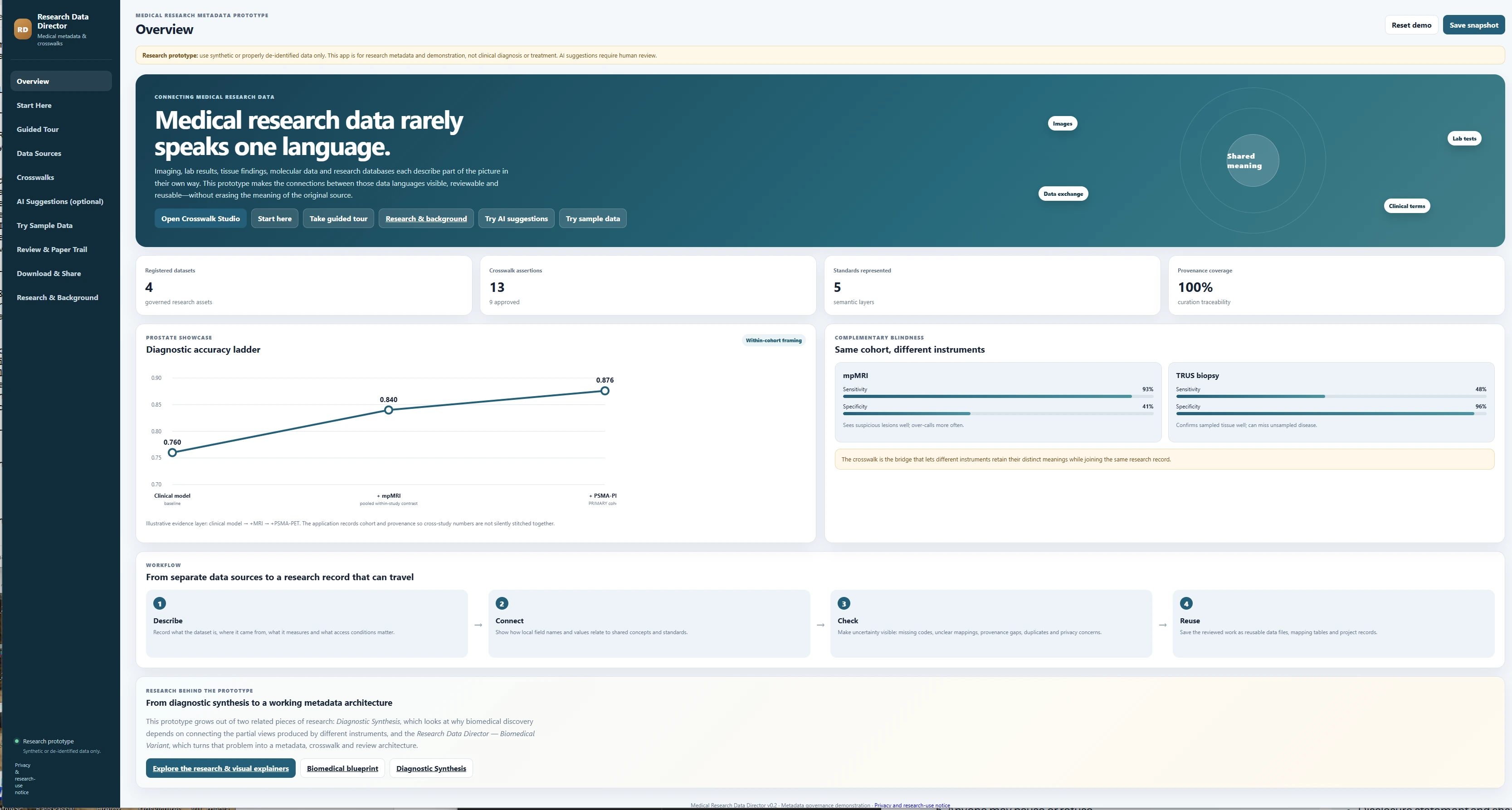
Overview
- A standing research-prototype notice heads every page.
- The left navigation follows the workflow, from a guided tour through crosswalks, review, and download.
- Summary counters: registered datasets, crosswalk assertions, standards represented, and provenance coverage.
- Illustrative panels show complementary blindness: the same cohort seen by different instruments.
- Four steps: describe, connect, check, reuse.
Crosswalks
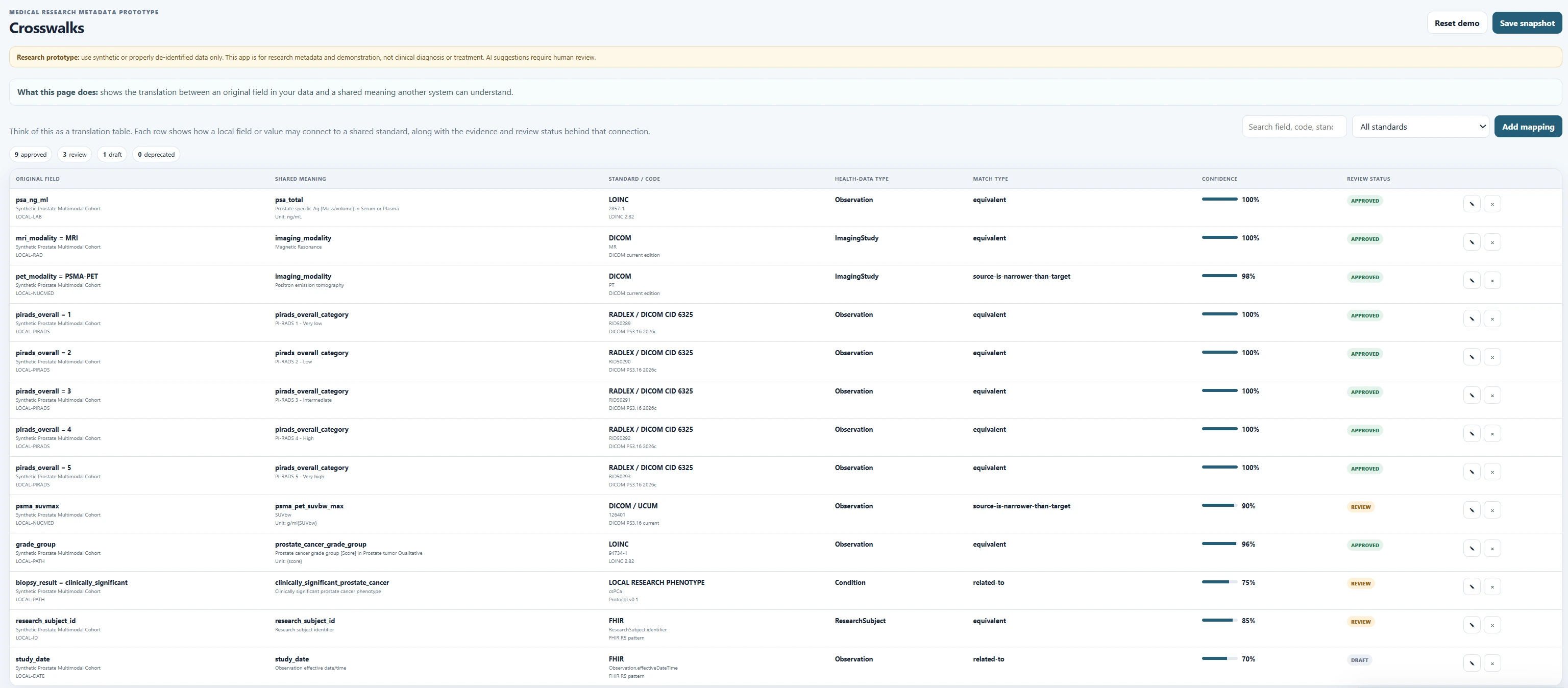
The crosswalk table
- A translation table: each original field or value is mapped to a shared meaning and a standard code.
- Each mapping carries evidence, a confidence level, and a review status: approved, in review, draft, or deprecated.
- Mappings are proposed for human adjudication, never applied silently.
Context
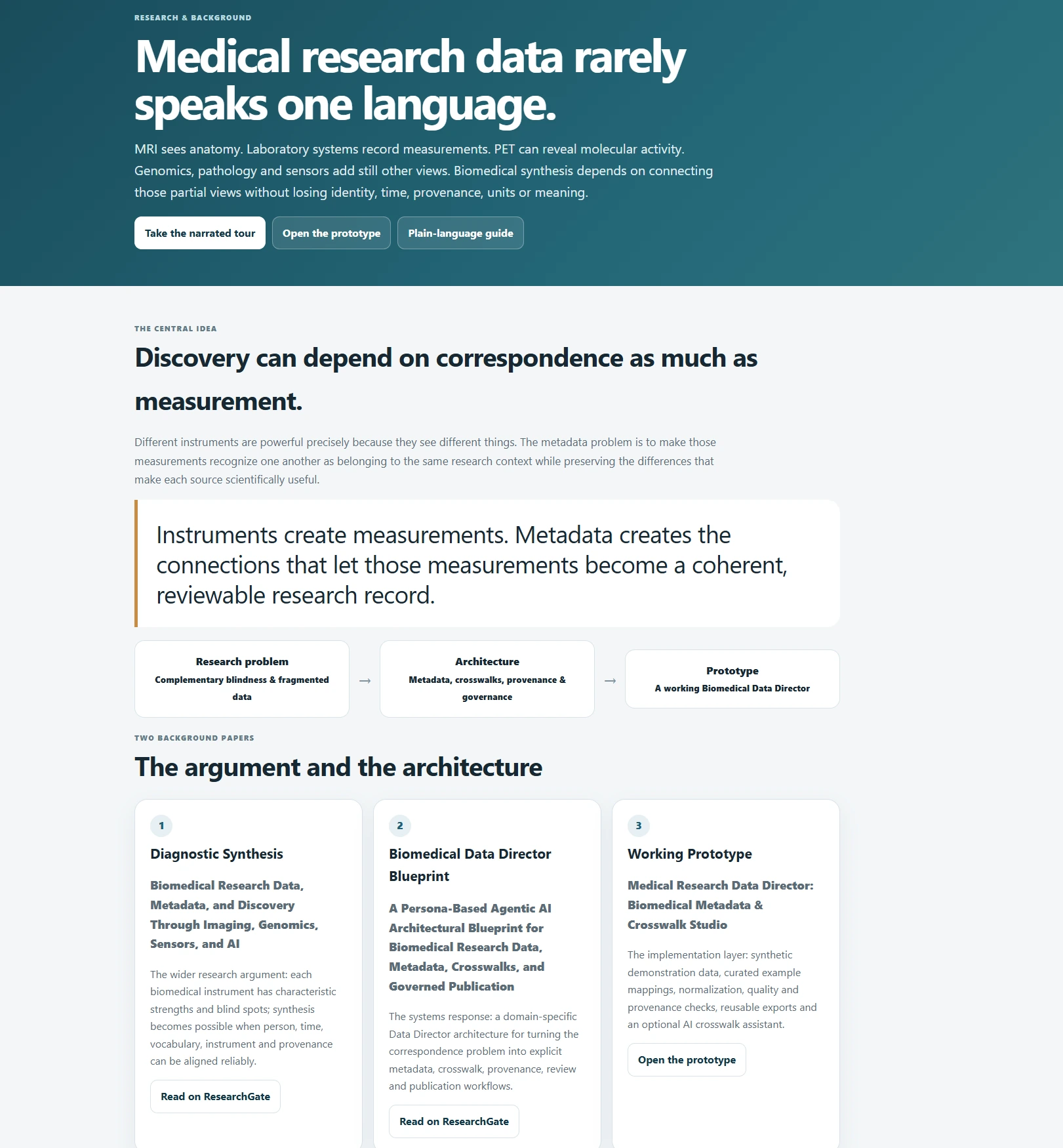
Research and background
- The central idea: discovery can depend on correspondence as much as on measurement.
- Instruments create measurements; metadata creates the connections that make them a coherent research record.
- The argument and the architecture: the Diagnostic Synthesis paper, the biomedical blueprint, and the working prototype.